Site Blocker shield

Site Blocker · Version 1.0.0

Your attention.
Your rules.

Choose the websites you want to step away from. Add, remove, search, or pause your list whenever you like. Everything the extension saves stays in your browser.

Chrome & Brave · Chrome 120+ or a compatible Brave version · MIT licensed

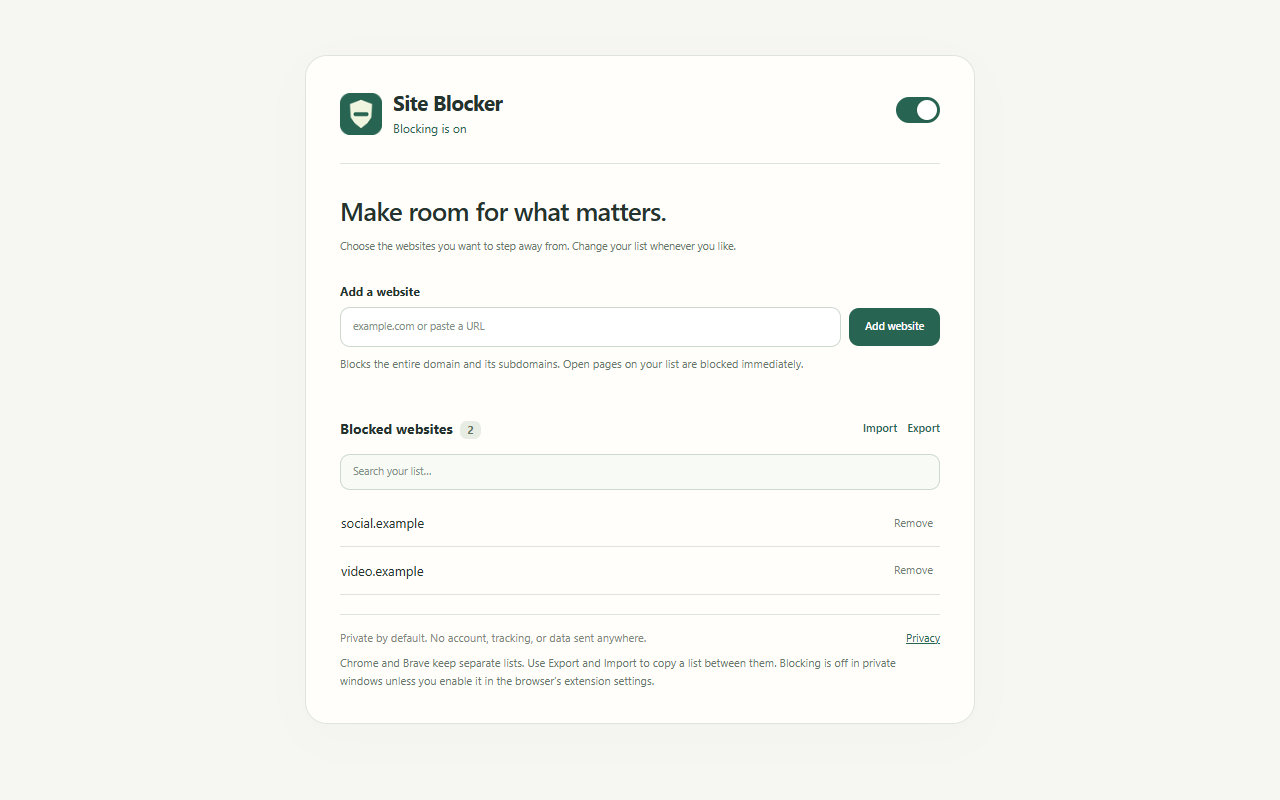
Site Blocker management page with controls to add, remove, search, import, export, and pause websites.
Actual Site Blocker interface with sample domains. New installations start with an empty list.

Get started

A few steps.
A little more focus.

Install Site Blocker locally in Chrome or Brave. No build tools or account needed.

Keep the extracted folder in place while using this installation. Updates are manual: download the newer release, replace the extension files in the same folder, then select Reload on the browser’s extensions page.

  1. Download and extract.

    Download Site Blocker 1.0.0 and extract the ZIP into a folder you’ll keep. That folder should contain manifest.json directly.

  2. Open your extensions page.

    Type chrome://extensions in Chrome’s address bar, or brave://extensions in Brave. Turn on Developer mode.

  3. Load the folder.

    Choose Load unpacked and select the extracted folder containing manifest.json.

  4. Pin it and begin.

    Use your browser’s extensions menu to pin Site Blocker. Open the green shield, read the local-data notice, then choose Agree and start.

Everyday controls, covered.

  • Block the current website from the toolbar.
  • Add a domain or paste a website URL.
  • Search and remove entries from your list.
  • Pause and resume with one switch.
  • Import or export up to 4,000 domains.
  • Apply blocks to matching open tabs.

A focus tool you control.

Blocks apply to the domain and its subdomains, across every path. Adding a subdomain only blocks that subdomain and its children.

Chrome, Brave, and different browser profiles keep separate lists. Use Export and Import to copy a list. Private windows need the browser’s separate permission.

There is no password lock, scheduling, or device-wide blocking. Browser-protected pages are outside the extension’s control.

Site Blocker’s blocked page: A moment to refocus, with Go back and Manage websites controls.
A calm reminder when you visit a blocked website. You can always change your list.

Private by design

It’s your list.
It stays that way.

Site Blocker has no account system, analytics, or remote block-list service. It sends no data to Better Extensions.

A question about your setup?

Read the support guide