 Better Extensions
← All extensions

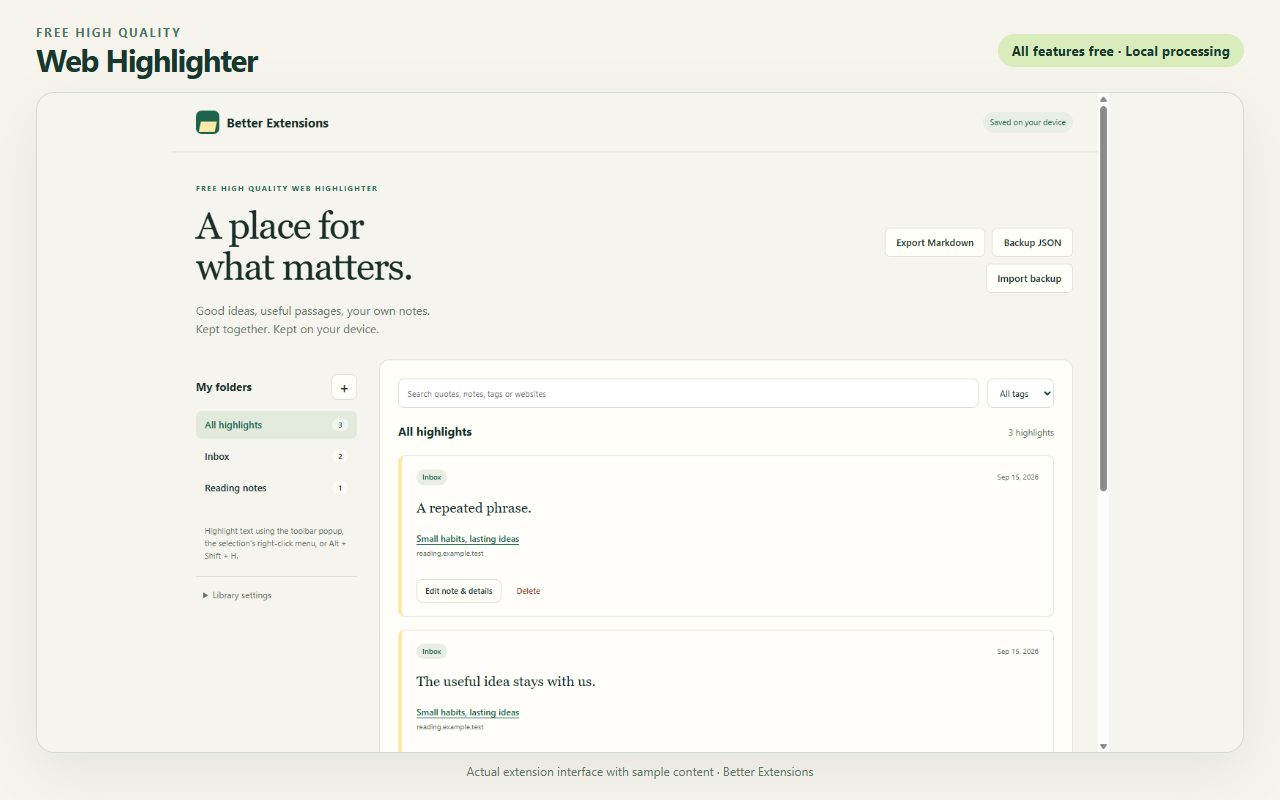
Web Highlighter with sample content.
Free High Quality Web Highlighter
Save highlighted passages from webpages with notes and tags.
What it does
- Highlight selected text in custom colors.
- Organize saved passages with folders, tags, and search.
- Export the current view as Markdown or the full library as JSON.
How to use it
- Select text on a webpage.
- Use the extension or right-click menu to highlight the selection.
- Open my library to add notes, organize passages, or export them.
Installation
Install in Chrome or Brave
ZIP downloads use the browser’s Developer mode.
- Download the ZIP and extract it into a folder you will keep.
- Enter
chrome://extensionsorbrave://extensionsin the address bar. - Turn on Developer mode, select Load unpacked, and choose the folder containing
manifest.json. - Pin the extension from the toolbar menu, open it, and read the first-use welcome.
Keep the folder in place. To update, replace its files with the new version and select Reload on the browser’s extensions page.
Reviews and support
Reviews are not available yet. This extension has not been published on the Chrome Web Store.